Leave from the store listing
Open the Play Store and go to the F‑Secure Mobile Security (Beta) listing. Scroll down to App support, where a You're a beta tester panel offers Leave.
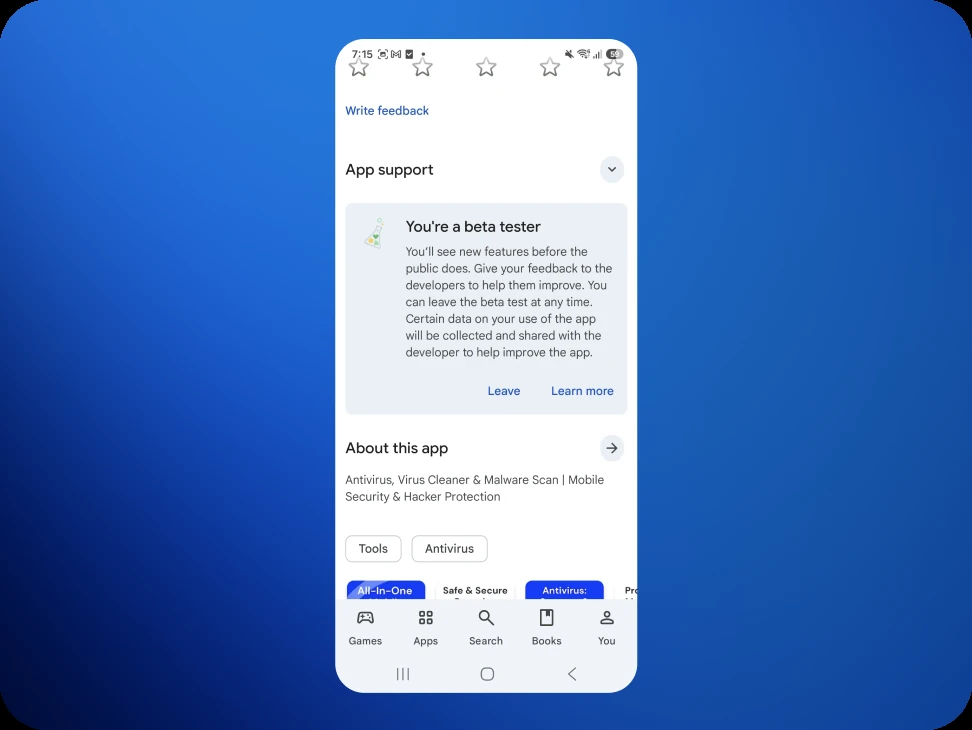
Tapping Leave asks for confirmation. The dialog mentions that the beta app may need to be uninstalled and that app data may be lost.
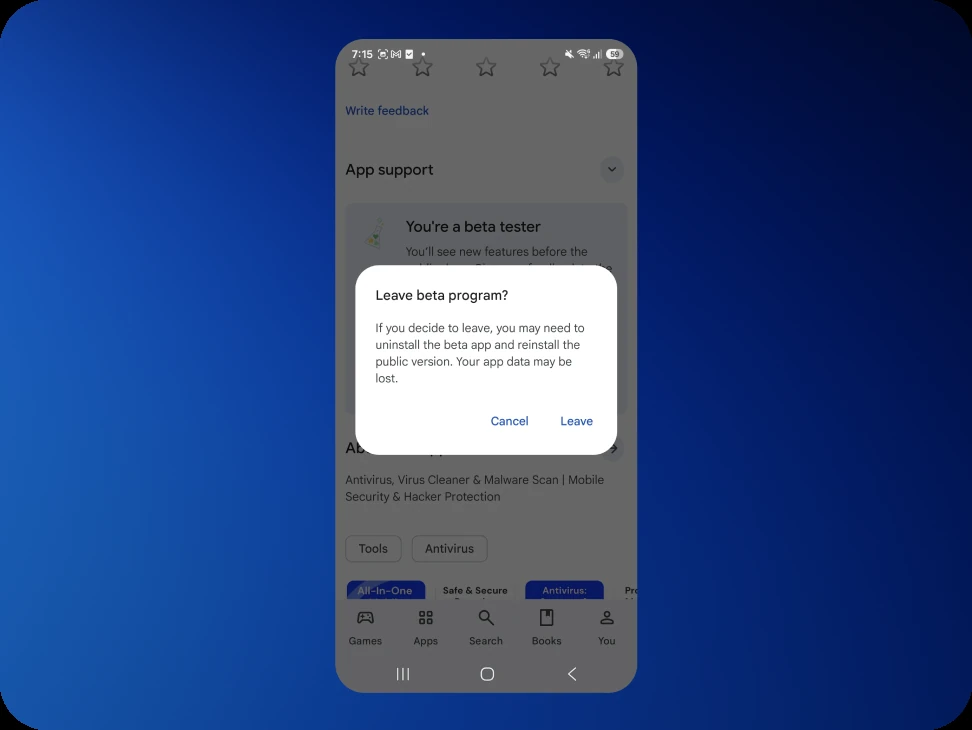
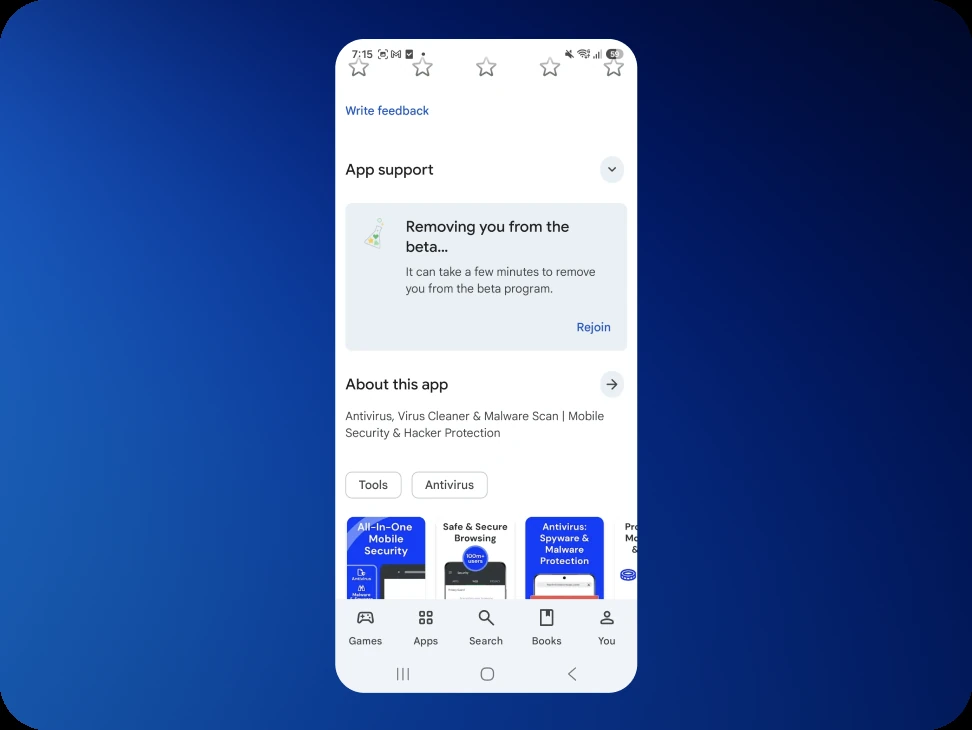
Confirm with Leave. The panel then reads "Removing you from the beta…" and offers Rejoin in case it was tapped by mistake.
Or leave from the invitation link
The link used to join also works in the other direction. Open it again and scroll down to Leave the program.
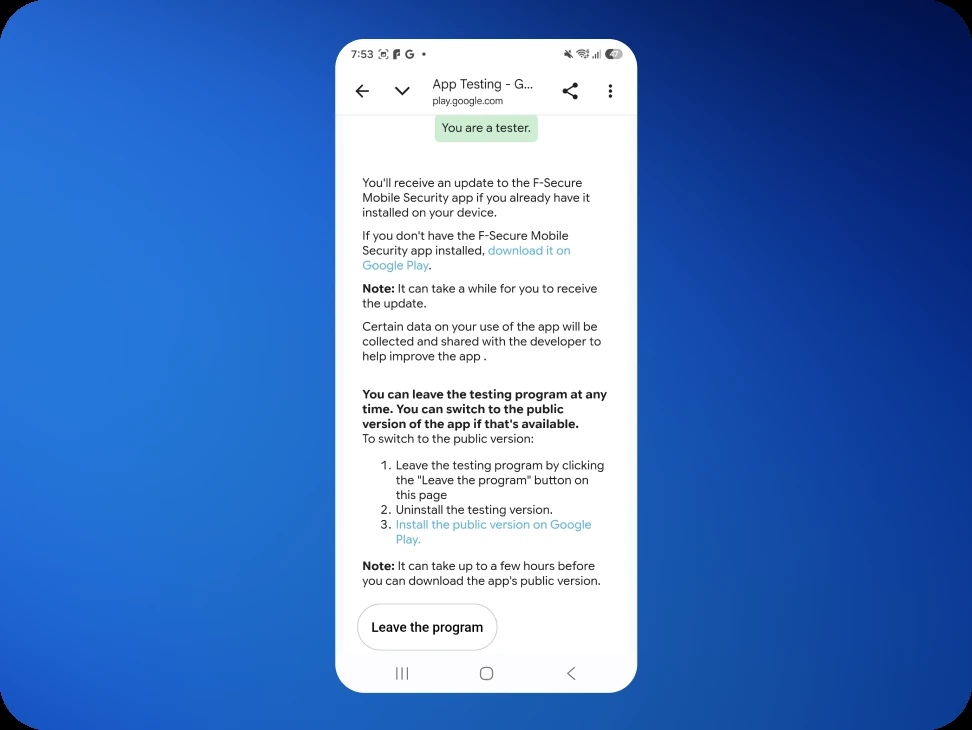
Either route does the same thing. There is no need to use both.
What happens next
Leaving is not instant. Google takes twenty minutes or so to process it, and sometimes longer. During that time the listing shows "Removing your account from the beta test program. You may want to uninstall the beta test version and install the public version."
While that is in progress, neither version can be installed. This is normal, and it clears on its own.
There is no need to uninstall anything. Play suggests uninstalling the test version, but the public app returns without it: once removal has been processed, the listing goes back to F‑Secure Mobile Security without the (Beta) label, and the public version installs itself.
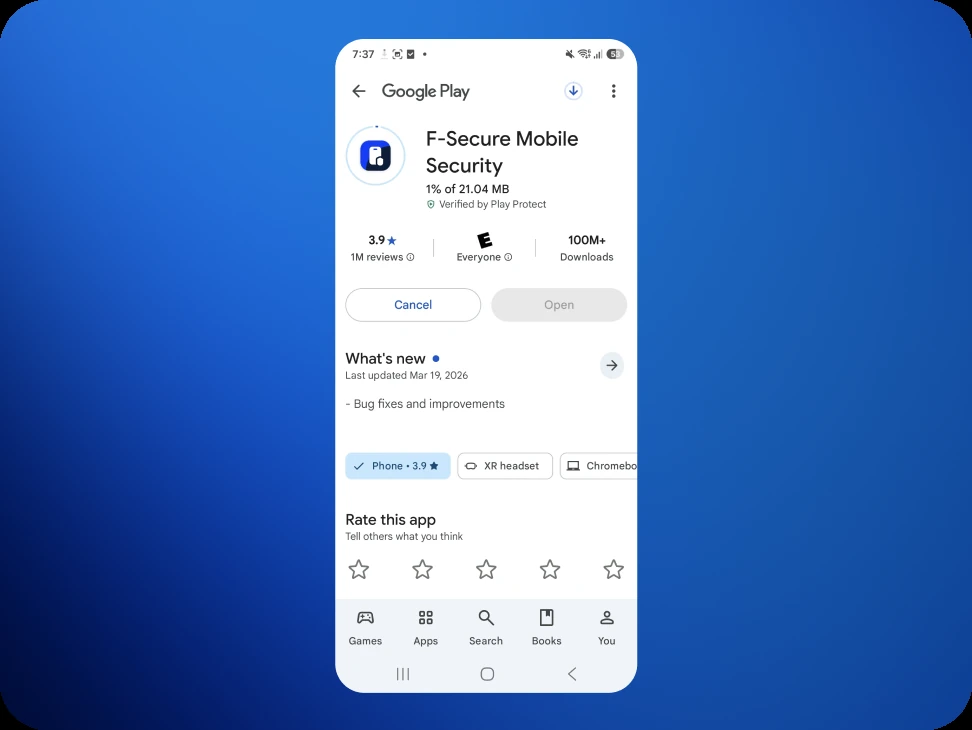
The app on the home screen goes back to Mobile Security, and signing in with the same account restores the settings.
If the app is still the beta build after an hour, uninstalling it and installing F‑Secure Mobile Security from the Play Store gets to the same place.
The listing may still offer Join the beta afterwards
For a while after leaving, the store listing can keep showing a Join the beta panel under App support, with Join and Learn more. Tapping Join reports "Can't join, beta program has ended."
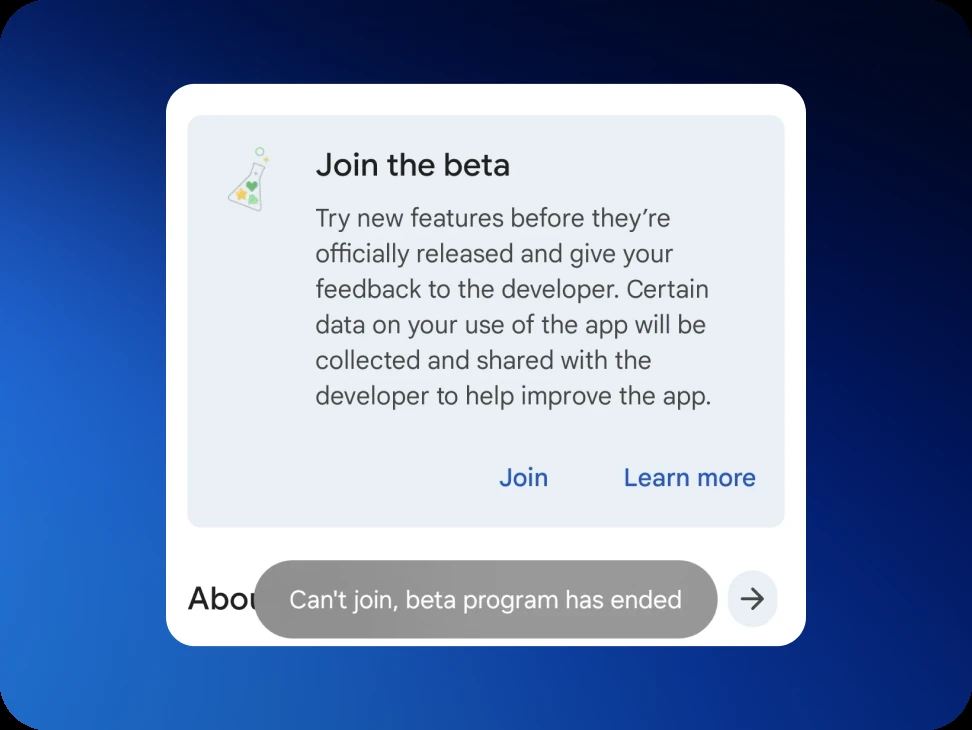
Nothing has ended. The Kiren beta is invitation-only rather than an open beta, and that panel is Play's control for open betas, so it cannot let anyone in. It is left over from the state the listing was in, and it clears on its own.
Coming back to the beta
Rejoining does not go through that panel. Open the original link from the invitation email and tap Become a tester again, and the same ten-minute wait applies.
If that link reports the account is not eligible, the address is no longer on the tester list. Send a line to support@kiren.com and we will add it back.
The subscription is not affected
A subscription is held against the Google account that bought it, not against the beta. Joining or leaving the test program does not change it, interrupt it, or require anything to be bought again.
Before going
If something specific prompted the decision to stop, we would very much like to know what it was. A single line to support@kiren.com is enough, and it is more useful to us than the testing itself.