What arrives, and from whom
The invitation is sent by TestFlight. It appears as F‑Secure Corporation via TestFlight rather than as a message from us. It reads "F‑Secure Corporation has invited you to test F‑Secure Mobile Security" and carries a View in TestFlight button.
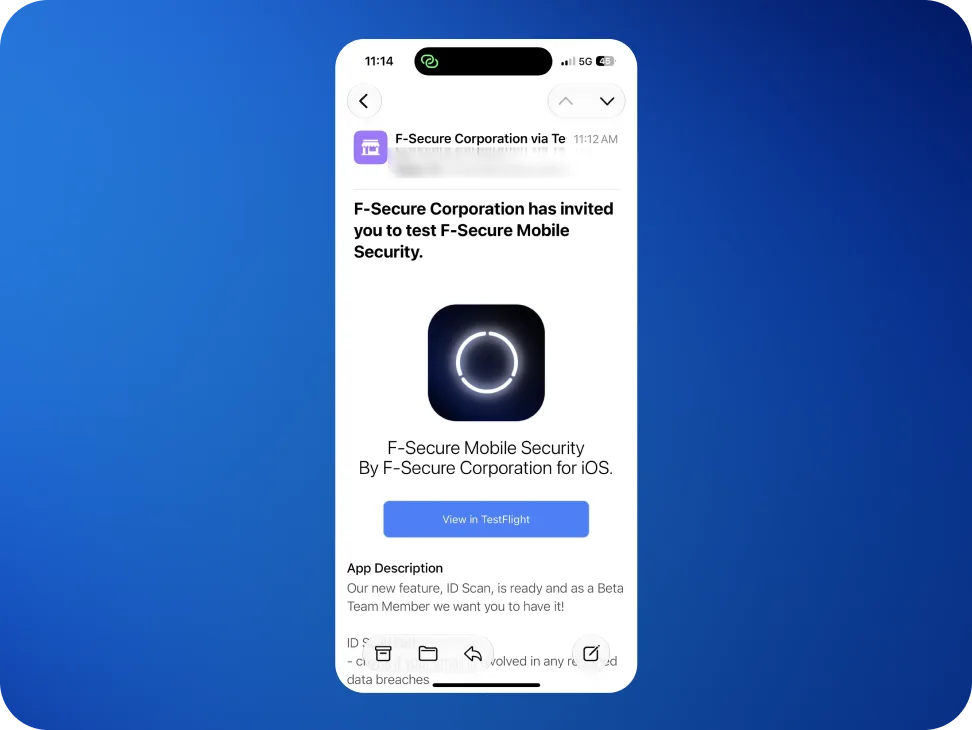
Open it on the iPhone or iPad that will be used for testing. Opening it on a computer will not get very far.
The app is still called Mobile Security
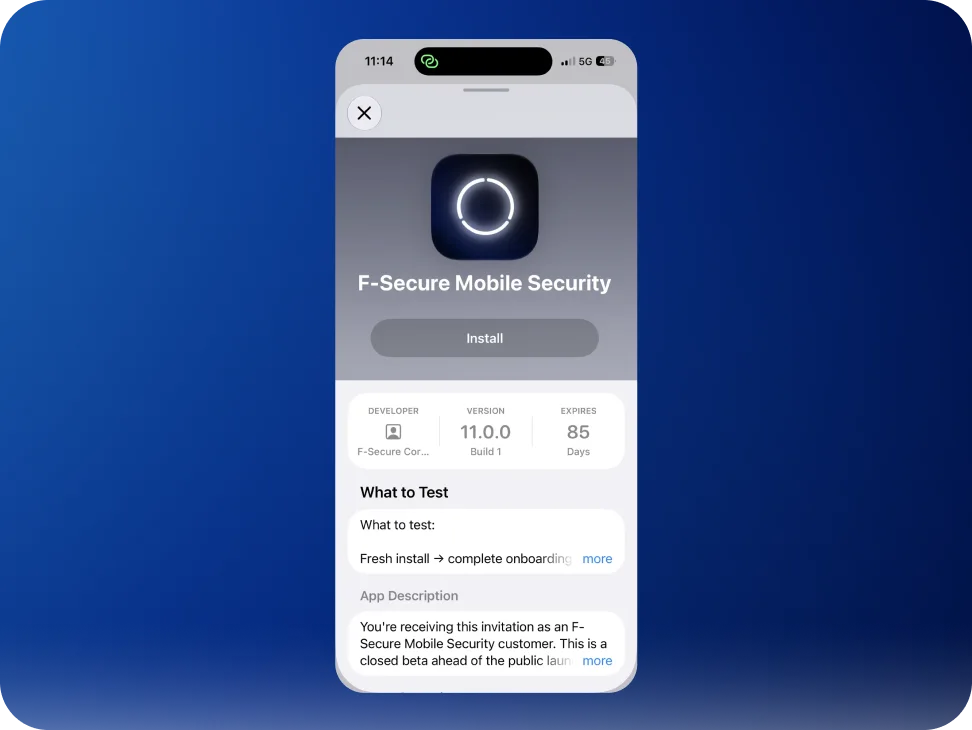
Everything in TestFlight shows the build as F‑Secure Mobile Security, not Kiren, and the invitation email describes the old app rather than this one. That is expected and it is not a mistake: a beta build inherits the name, icon and store description of the app it will eventually replace, and none of those can be set separately for a test.
Once installed, the app is Kiren. That is the name on the home screen and the name in the app itself.
Installing it
Tapping View in TestFlight does one of two things, depending on whether TestFlight is already on the device.
With TestFlight installed, the app page opens straight away with an Install button, and that is the whole process: no code, nothing to type.
If TestFlight is not installed yet
Tapping the button opens a web page instead, listing three steps and an invitation code.
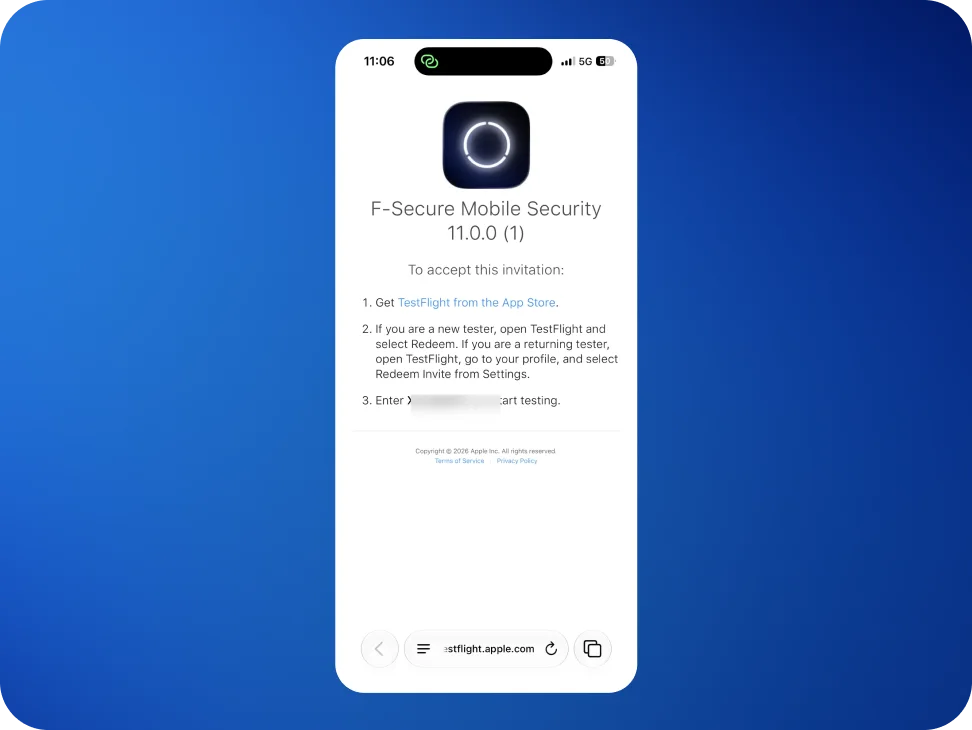
Install TestFlight from the App Store. It is free, and it is where every beta build on iOS lives.
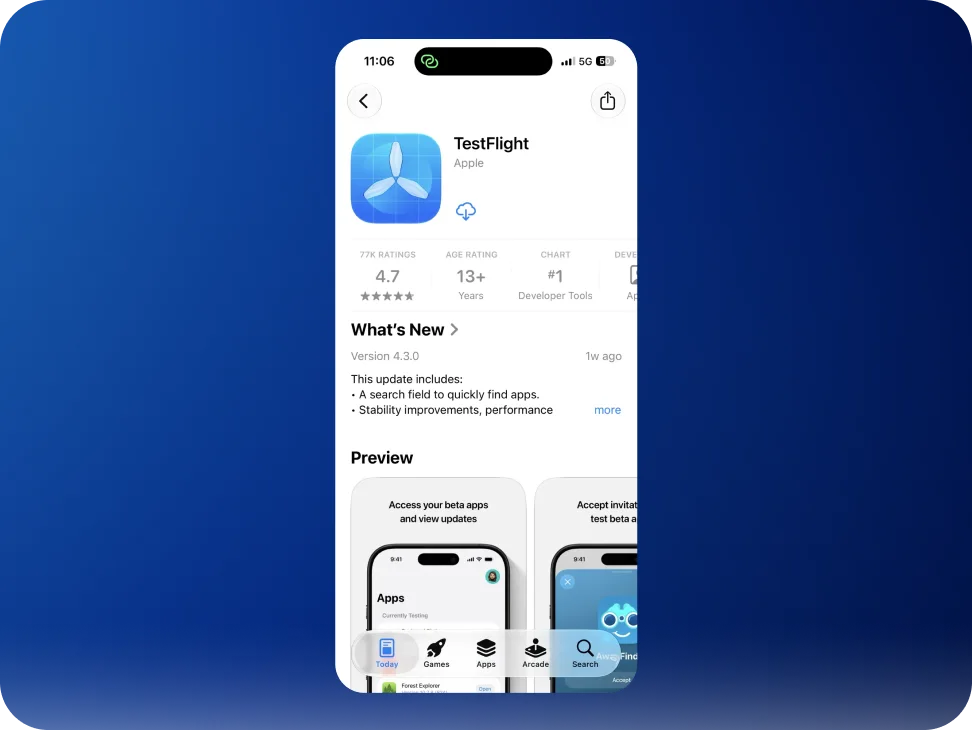
Open TestFlight. A new tester is offered Redeem directly; anyone who has tested something before will find Redeem Invite under the profile settings.
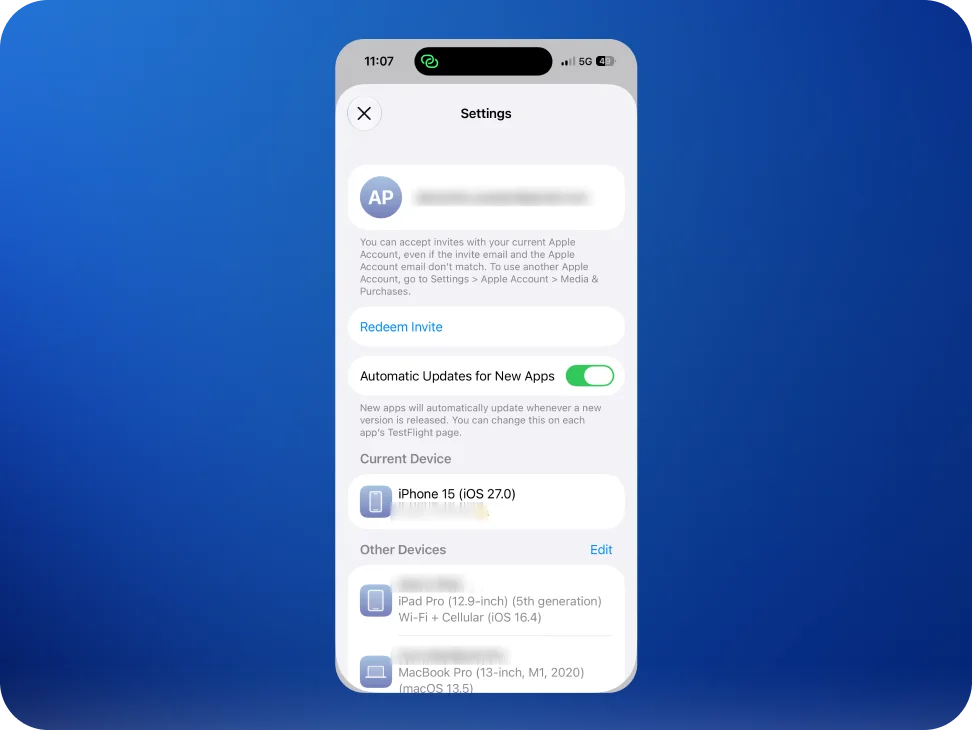
Enter the code from that page.
This is the longer road, which is why the announcement email suggests installing TestFlight first.
The Apple Account does not have to match
The invitation is sent to one address, but it can be accepted by whichever Apple Account is signed in on the device. Apple states this plainly on the screen above: invites work "even if the invite email and the Apple Account email don't match." There is no need to sign out of anything.
First run
TestFlight shows what we are hoping to have looked at before handing over to the app.
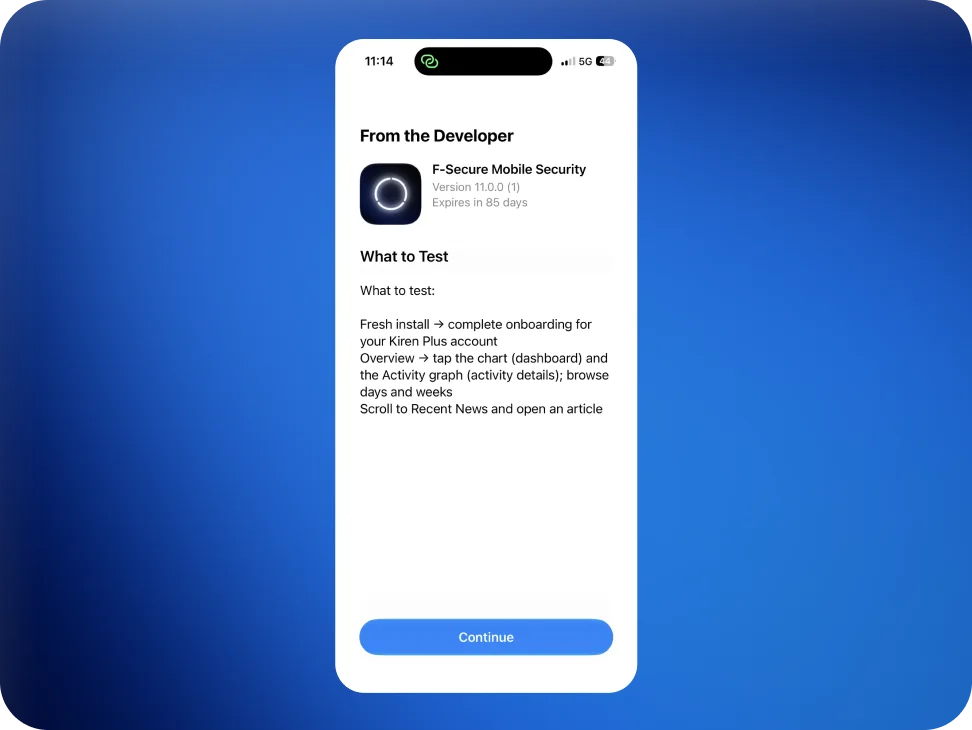
Then Kiren takes over, and asks for an email address to set the account up.
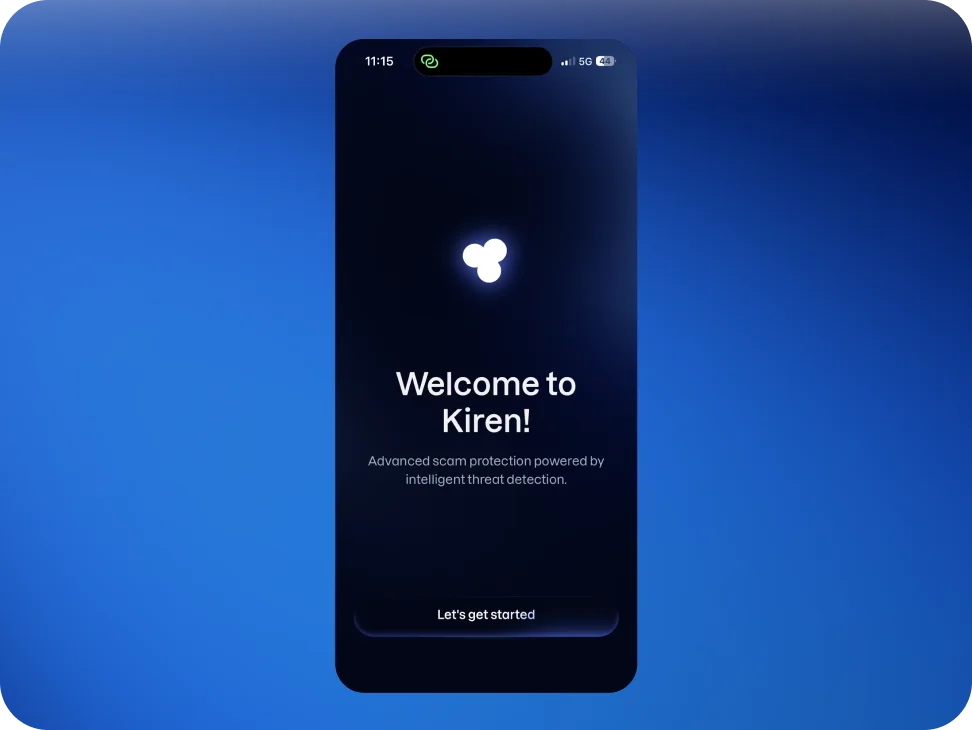
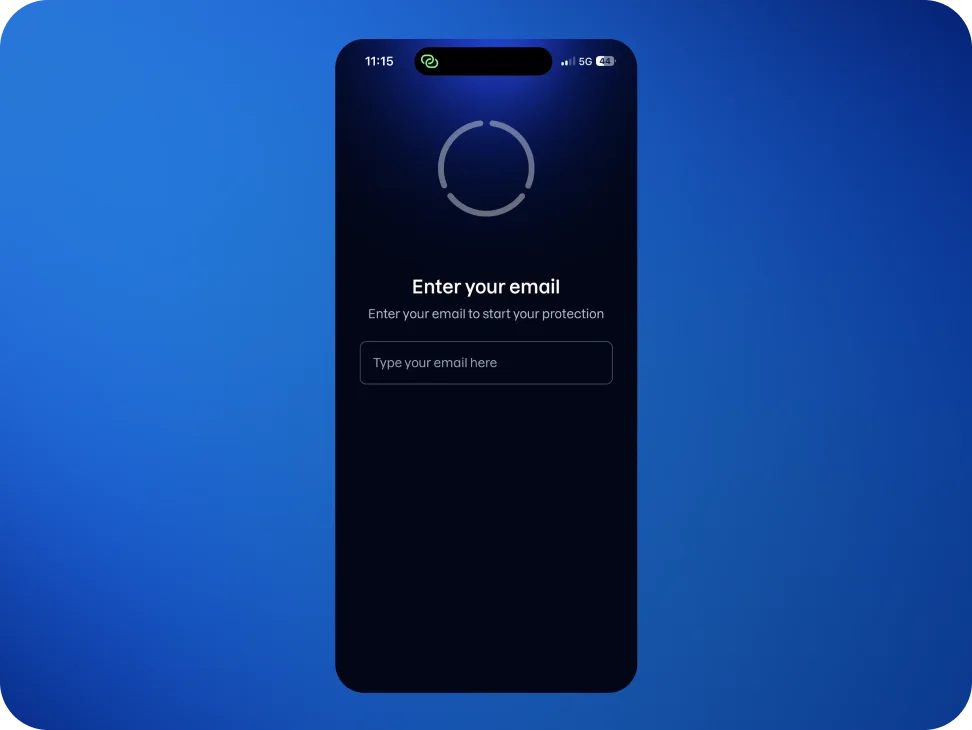
Any address works here. Using the same one the beta was signed up with is worth doing where possible, because it lets an existing subscription be recognized straight away. With a different address, restoring the purchase may be needed later on. Nothing breaks either way.
Sending feedback
Anything that looks wrong, confusing, or simply worse than expected is worth telling us about, including the setup itself. Write to support@kiren.com, which reaches the people building this.
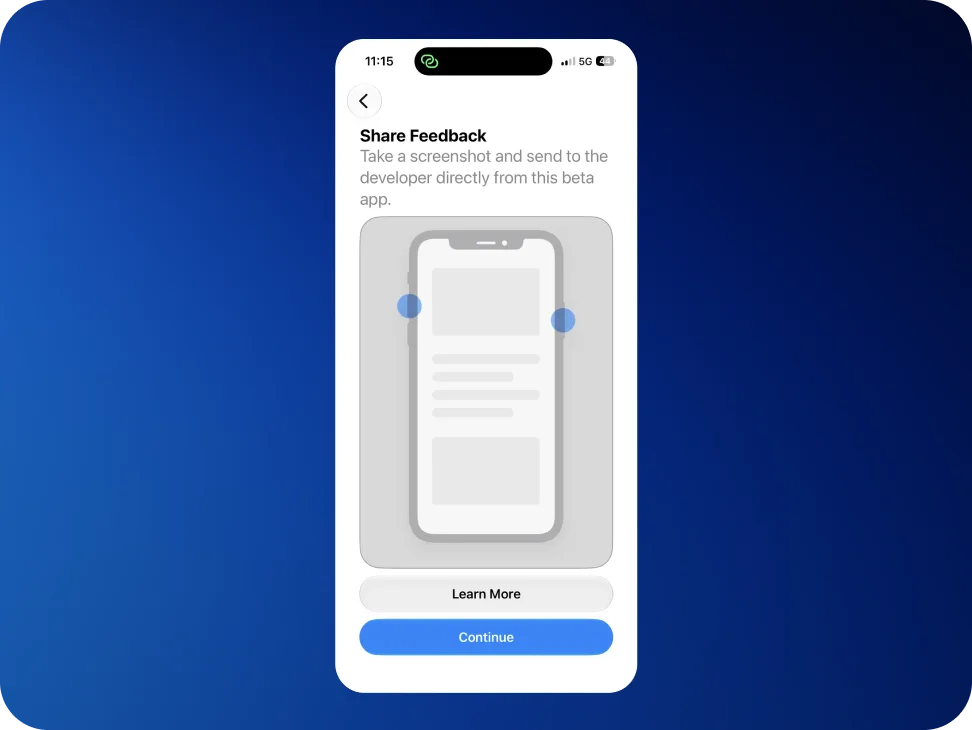
Feedback can also go straight from the beta by taking a screenshot and sharing it, which attaches the build details automatically.
If the invitation will not open
- It was opened on a computer. The link has to be tapped on the iPhone or iPad itself.
- It says the invitation has been revoked or is invalid. An invitation is single-use: once testing has been stopped, or a place has been given up, the same link will not work again. Write to us and we will send a fresh one.
- The build has expired. Each build lasts 90 days, and TestFlight shows the remaining time on the app's page. A new one replaces it before then.
Stopping at any time
Leaving the beta and going back to the public Mobile Security app takes a couple of minutes and does not affect the subscription. The steps are in Leaving the beta.